The new submodule: POS Category Management
24.07.2025
With the latest product iteration, POS Insights has been expanded with a fifth submodule: POS Category Management. It allows you to extend your existing analyses with a category-based view of online pharmacies, using the most recent calendar week as a reference and offering targeted insights into untapped potential.
What can you do with POS Category Management?
Explore all available categories within your selected online pharmacy, including the products listed in each one. Define or select your own market and conduct focused potential analyses to answer questions like:
- Which categories feature your competitors?
- In which categories are your own products listed?
- Where do you and your competitors overlap?
How does POS Category Management work?
POS Category Management helps you work in an exploratory way and identify potential opportunities with precision.
The displayed categories automatically adapt to your selection: If you choose All markets, all categories of the selected pharmacy will be shown. If you select a specific company or a Custom Market, only the categories that contain products from that selection are displayed.
This ensures your focus remains on the most relevant categories, presented clearly across two connected tables.
Left side: Search field and pharmacy categories
On the left, you’ll find the complete list of all categories in the selected pharmacy. Each row includes the category path, its depth, and the number of products (PZNs) within it. You can search directly for a term like “diabetes” to find relevant categories. Clicking on a category loads all associated products into the right-hand table. (see GIF 1)
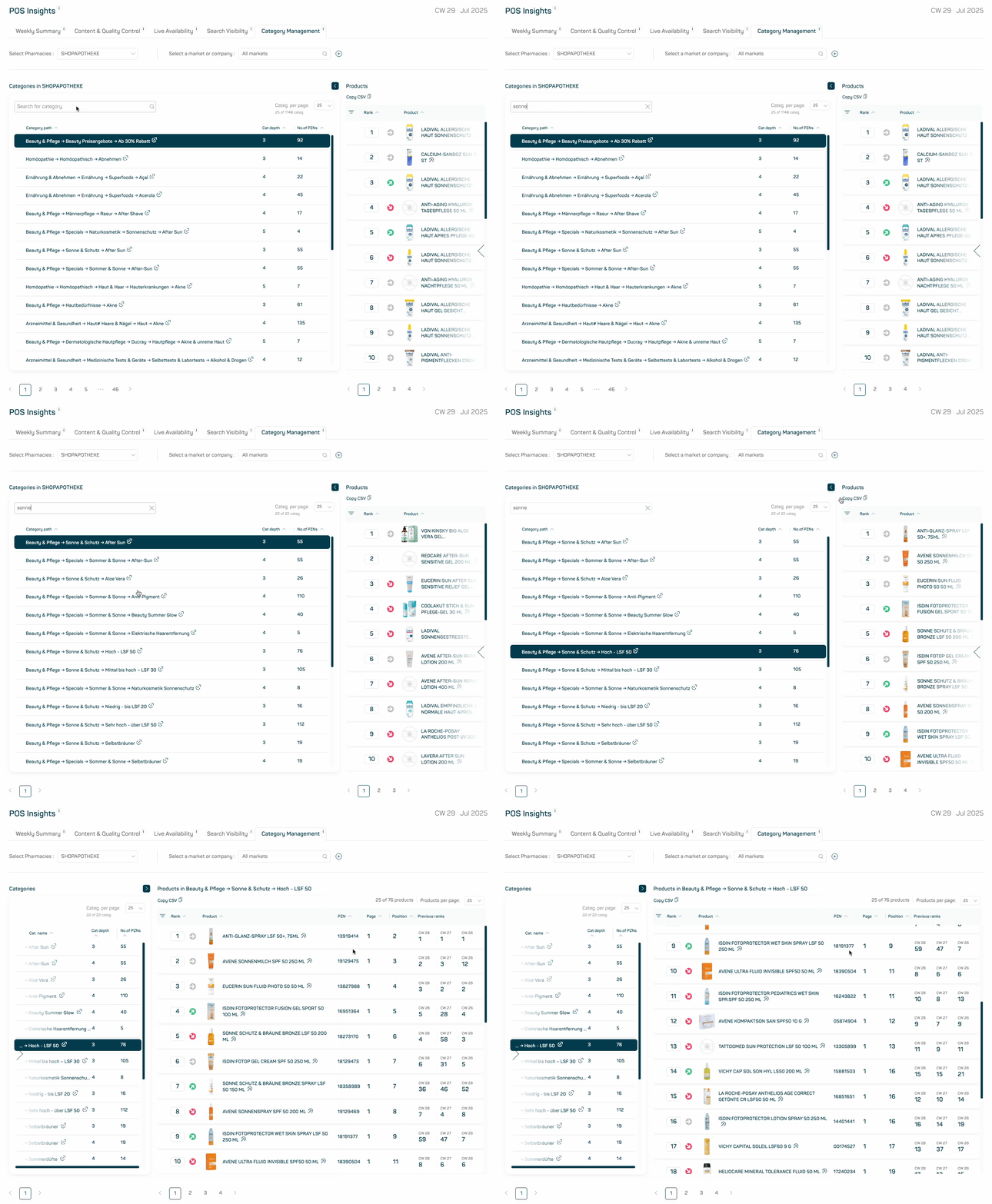
GIF 1
Right side: Products listed in the selected category
The right-hand table displays all products found within the chosen category. It includes the product rank, page number, position, and rank development across recent weeks.
A toggle button lets you filter the view to show only the products that belong to your selected company or Custom Market.
Process your analysis with ease
With the Copy to CSV function, you can export the current view of the right-hand table exactly as it appears. All filters, sorting, and settings are preserved — ideal for quickly continuing your analysis outside the platform.
Analyze potential with precision
When working with a Custom Market, you’ll have access to three filters that help you finding both opportunities and gaps:
- “All included” shows categories where both your products and those of your competitors are listed
- “Just my products” highlights categories that only contain your own products
- “My products missing” flags categories where only competitor products are visible
These filters are visually supported with color coding (green, red, and grey), making it easier to spot areas where your products are already strong — and where new opportunities are waiting. (see GIF 2)
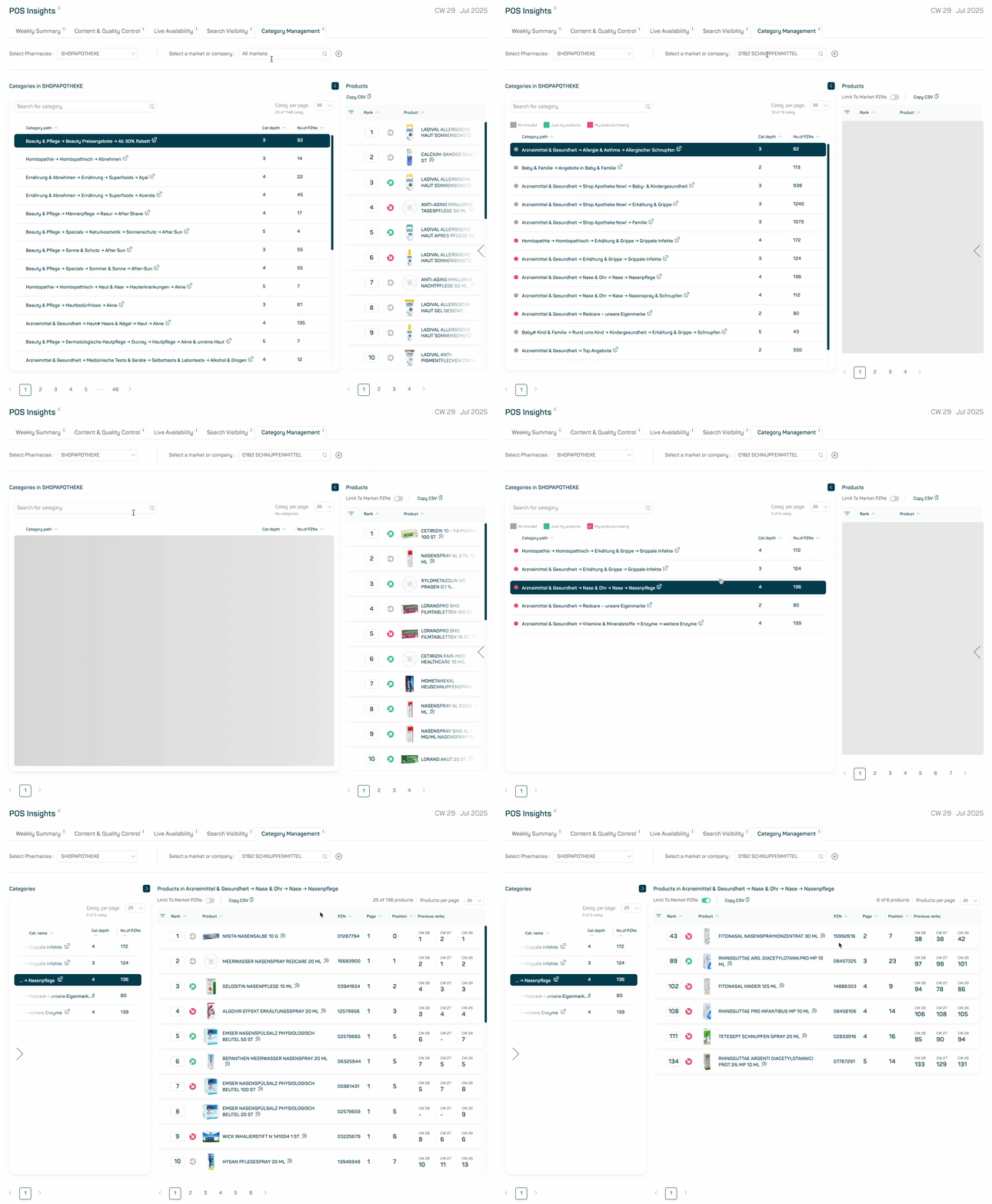
GIF 2