Search via Product in POS Search Visibility and Extension and Documentation of the Insights Hub API
19.08.2024
The new POS Insights submodule „Search Visibility“ (Changelog from 05.08.2024) offers an extended search and grouping function.
In the „Products“ tab, you can now search for specific products that have been listed in the search results. After selecting a product, all search terms for which the selected product was found in the POS are displayed. It is now also possible to view historical data from the last three weeks.
In addition, the API Docs page is available, which contains comprehensive technical documentation of our API endpoints. The available API endpoints Daily Sales Data (daily data), Weekly Sales Data (weekly data) and Regional Daily Sales Data (regionalized daily data at state level) have been extended with additional master data, ATC classes as well as pagination and sorting functions.
POS Search Visibility – Search via Product („Products“ tab)
The new product iteration adds an additional function to POS Search Visibility. You now have the option to search via products to list all search terms in which a product is listed in the search results. This allows you to quickly and clearly group and display all search terms in which, for example, your own products or those of your competitors appear.
On the „Search Visibility“ page („Products“ tab), you will find a search bar on the left-hand side that you can use to search for specific products. As soon as you select a product, the search terms (as a rank) in which the selected product is represented in the POS will be displayed on the right-hand side (see image 1). The listed products themselves do not have their own rank in this view (Tab “Products”). To see the exact ranking of a product for a specific search term, you must switch to the „Search Terms“ tab.

Image 1
In the „Products“ tab, there are leaps in the ranking of search terms. This is due to the fact that not every product is represented in all of the top 500 search terms. In this view, the relevant search terms are only summarized in the order of their rank (e.g. rank 1, 26, 38 etc., see image 2 for the search for „nasic Nasenspray“).
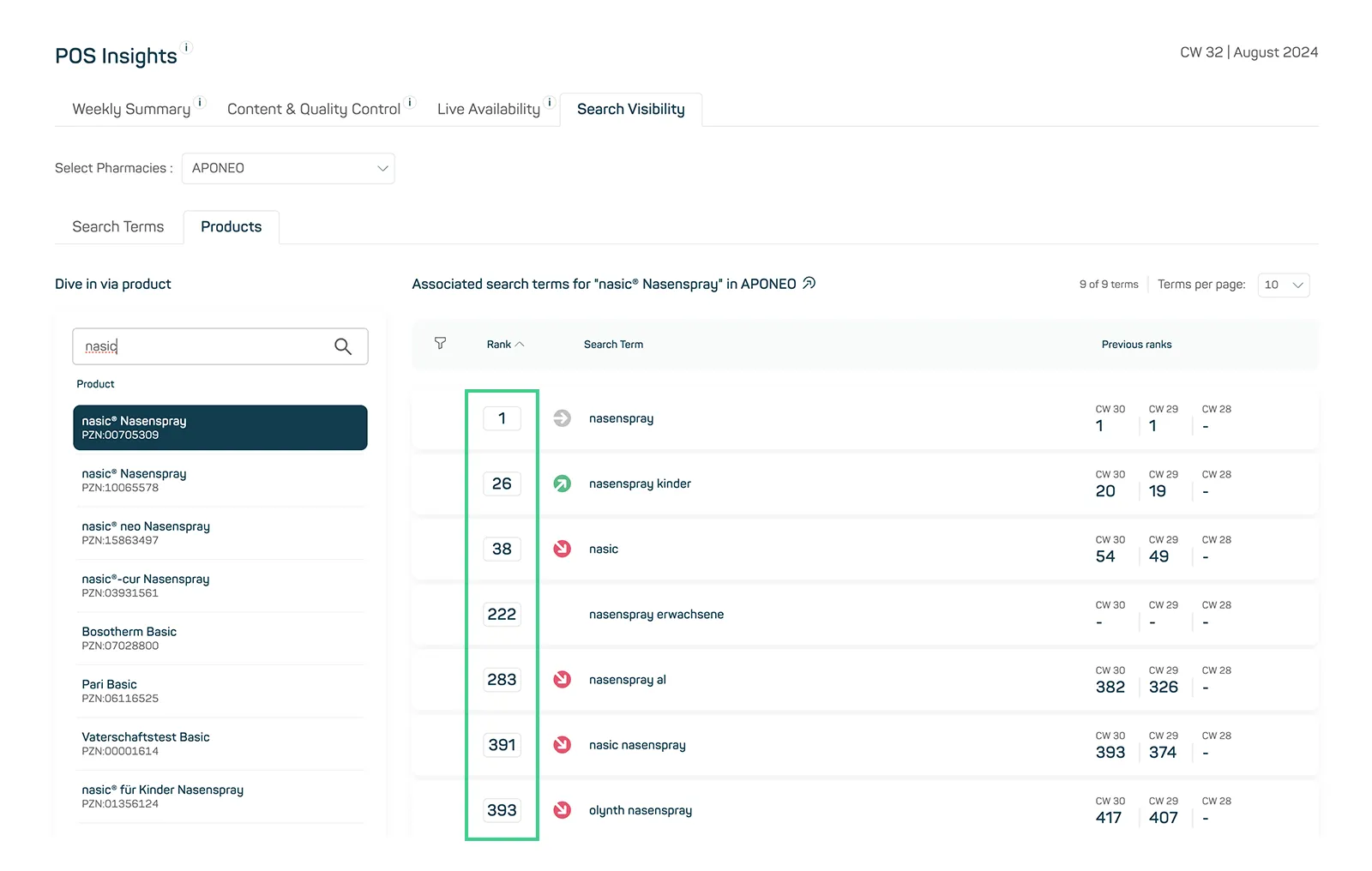
Image 2
A new column „Previous ranks“ has been added to the rank tables in the „Search Terms“ and „Products“ tabs. This column shows the historical ranks of products and search terms from the last three weeks. This allows you to see a brief history of the development of the ranks of products and search terms (see image 3).
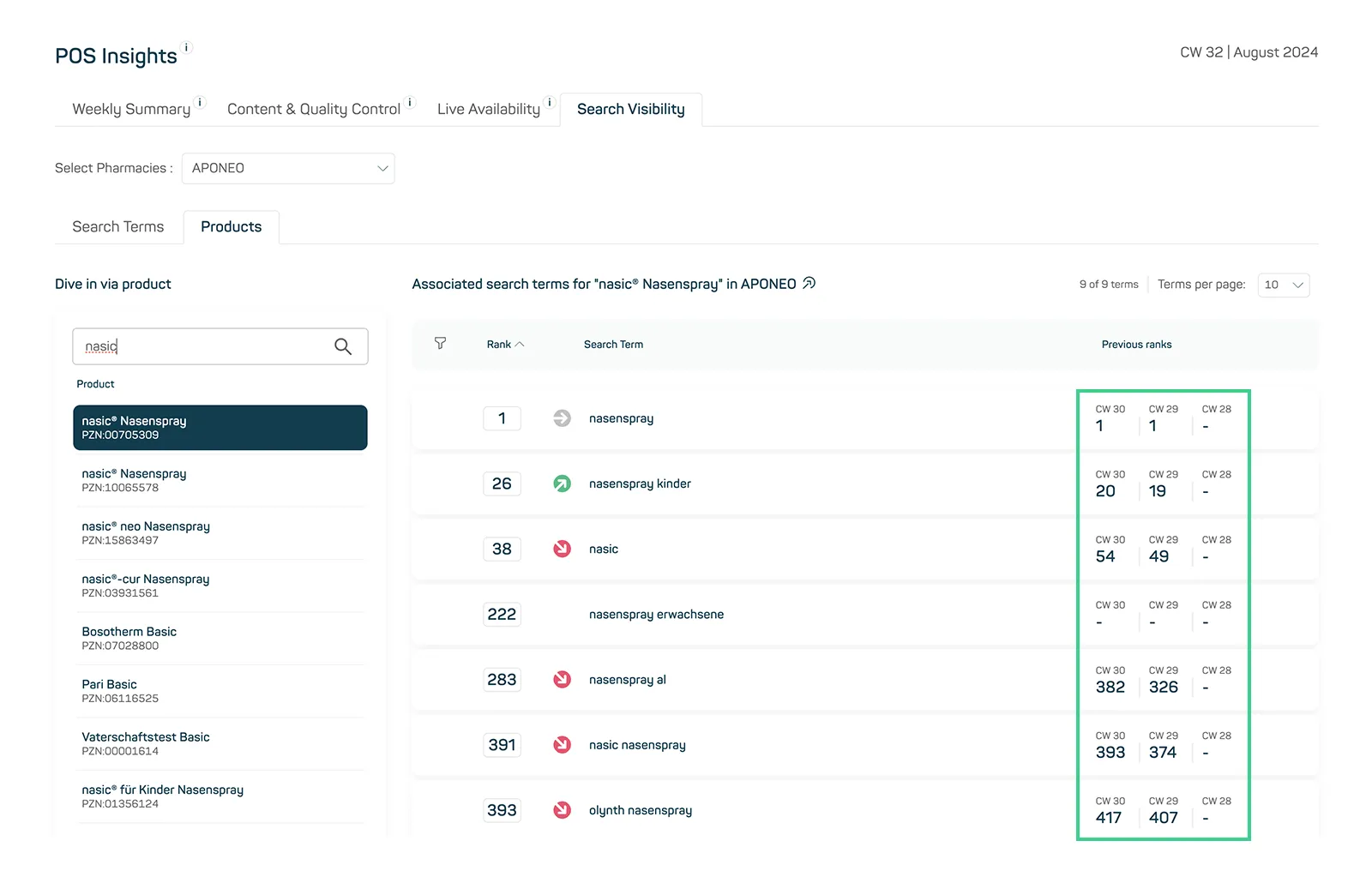
Image 3
Extension and Documentation of the available API endpoints
The API documentation is now available in the Insights Hub and provides a comprehensive overview of the available endpoints: Daily Sales Data (daily data), Weekly Sales Data (weekly data) and Regional Daily Sales Data (regionalized daily data at state level).
These API endpoints have been enhanced with additional master data (such as Company, Brand, Product Group, Pack and Price by rAVP), ATC classes (including description) as well as pagination and sorting functions. The API documentation contains detailed information on both the general use of the interfaces and the available parameters. In addition, examples with various configurations are included for each endpoint to make it easier for you to get started (see image 4).
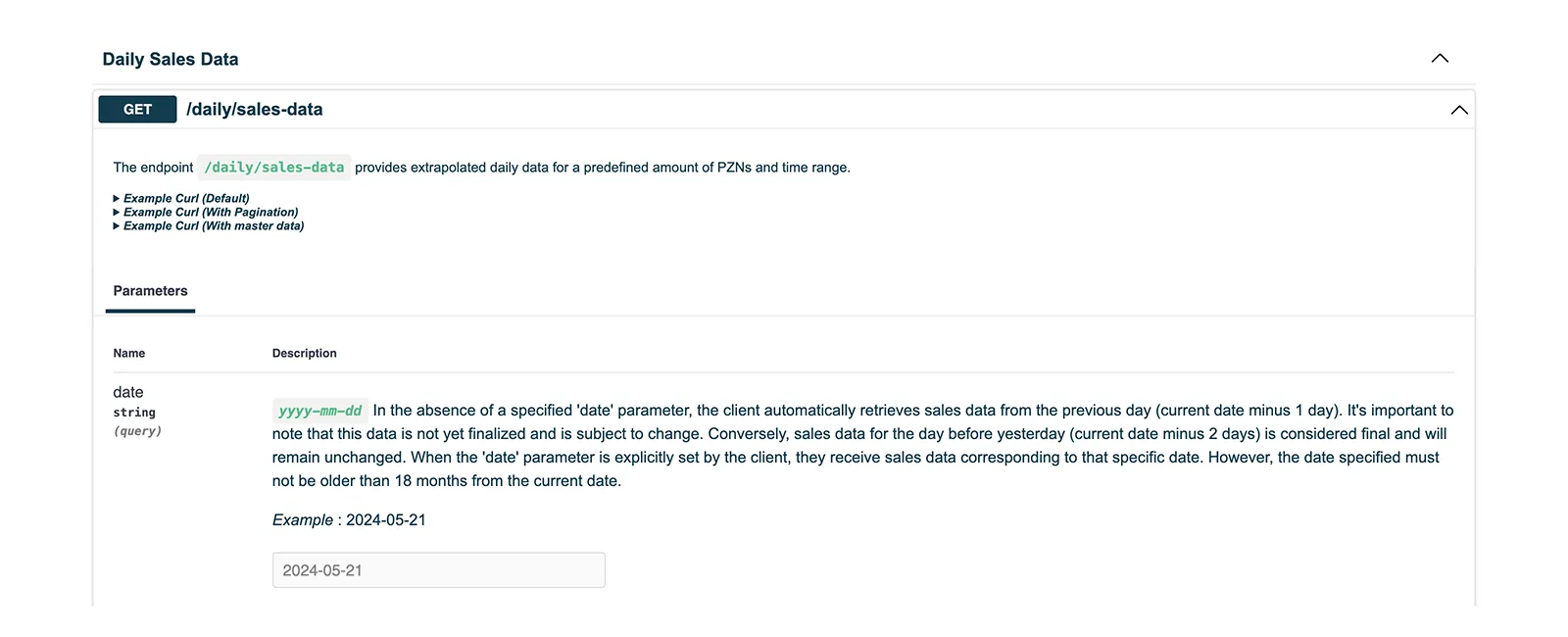
Image 4
The focus of the API endpoints is on automation. The automated integration of data into your own data warehouse, analytics and reporting systems enables seamless processing and analysis of sales data. The API endpoints can be configured individually for different time periods and product lists, which enables flexible and targeted data evaluation.