POS Search Visibility is available
05.08.2024
The new submodule Search Visibility is the next extension of POS Insights and enables you to monitor whether your products are listed under the right search terms in selected mail-order pharmacies.
Based on these insights, you can make informed decisions to improve the visibility of your products in selected online pharmacies.
- By default, the first mail-order pharmacy in alphabetical order is preselected in the „Select a Pharmacy“ dropdown, e.g. APODISCOUNTER.
- Only one store can be selected at a time
- The top 500 search terms are shown as a rank (based on search volume) for the current week, e.g. KW 23/2024.
- If a search term is selected from the list, the list of products found in the search result for the current week is displayed for the search term and mail-order pharmacy.
- The list of products is sorted according to the average position of the found item.
- The list of products can be filtered by name or PZN.
What is the foundation of the search term?
We have exclusively collected data (Onsite Search – refers to the search function within a specific website) from several online pharmacies. This data is updated weekly. We normalize and extrapolate the search terms to provide you with a reliable list of the top 500 search terms in the german mail-order pharmacy business, so you always know what is currently being searched for.
Understanding Onsite Search is particularly important for E-Commerce, because it provides valuable insights on user behavior and preferences that can be used to improve product placement.
Search Visibility via search terms
In the tab Search Visibility via search terms, you can view the list of the top 500 search terms (Onsite Search) from the past week on the left-hand side. By selecting a search term from the list, the corresponding products that were found for the search term in the selected mail-order pharmacy during the past week are shown on the right-hand side (e.g. for the mail-order Aponeo and the search term „nasenspray“, see image 1).
It is important to note that the ranking of search terms or products is based on a weekly average. This means that two search terms or products can have the same rank. In such a case, the next rank is skipped. For example, if two search terms or products share rank 1 (because they have the same rank on a weekly average), the following search term or product will be displayed at rank 3 and not rank 2.
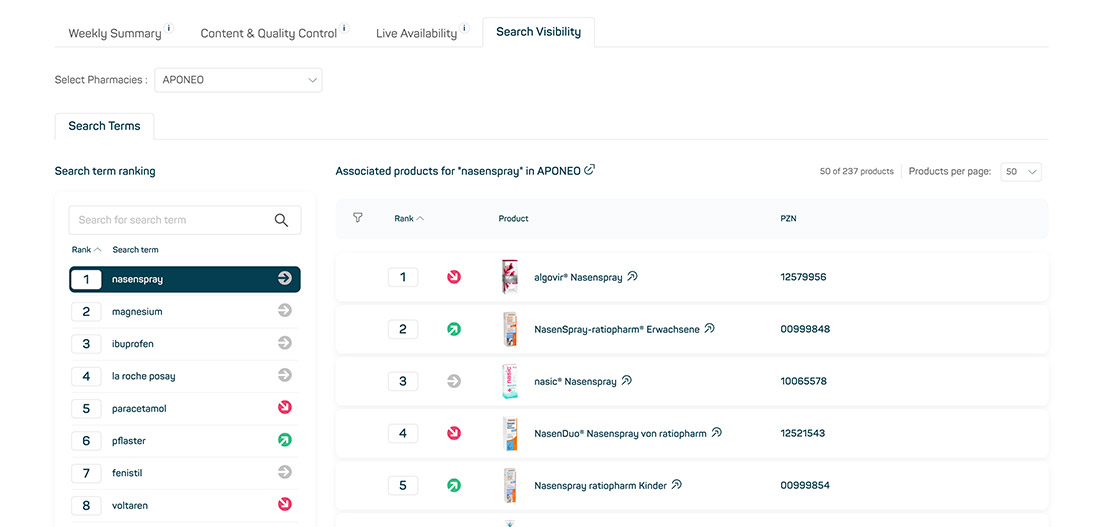
Image 1
The search terms are sorted by popularity (search volume) and can be arranged in ascending or descending order. A trend indicator shows the change in a search term compared to the previous week, represented by red or green arrows to the right of the search term. A search field above the ranking list allows the search terms to be filtered (see image 2).
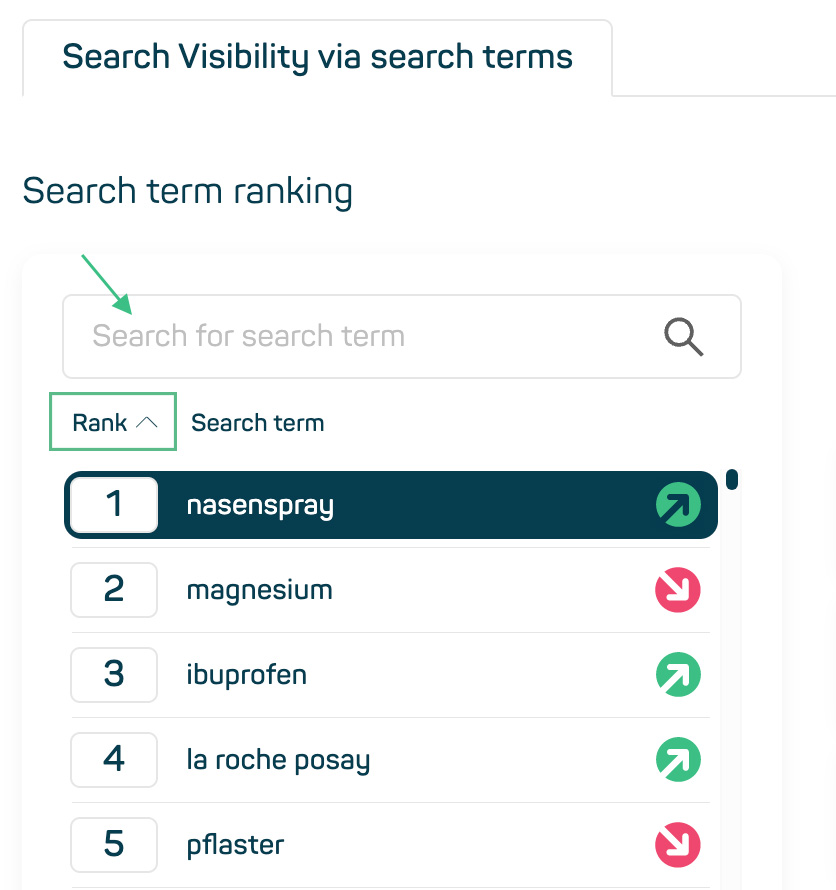
Image 2
The list of products found for the selected search term is sorted according to the average position of the products related to the search term. Products that have an advertisement in the respective mail-order pharmacy are marked with a small blue stripe with the identifier „Sponsored“ (see image 3).
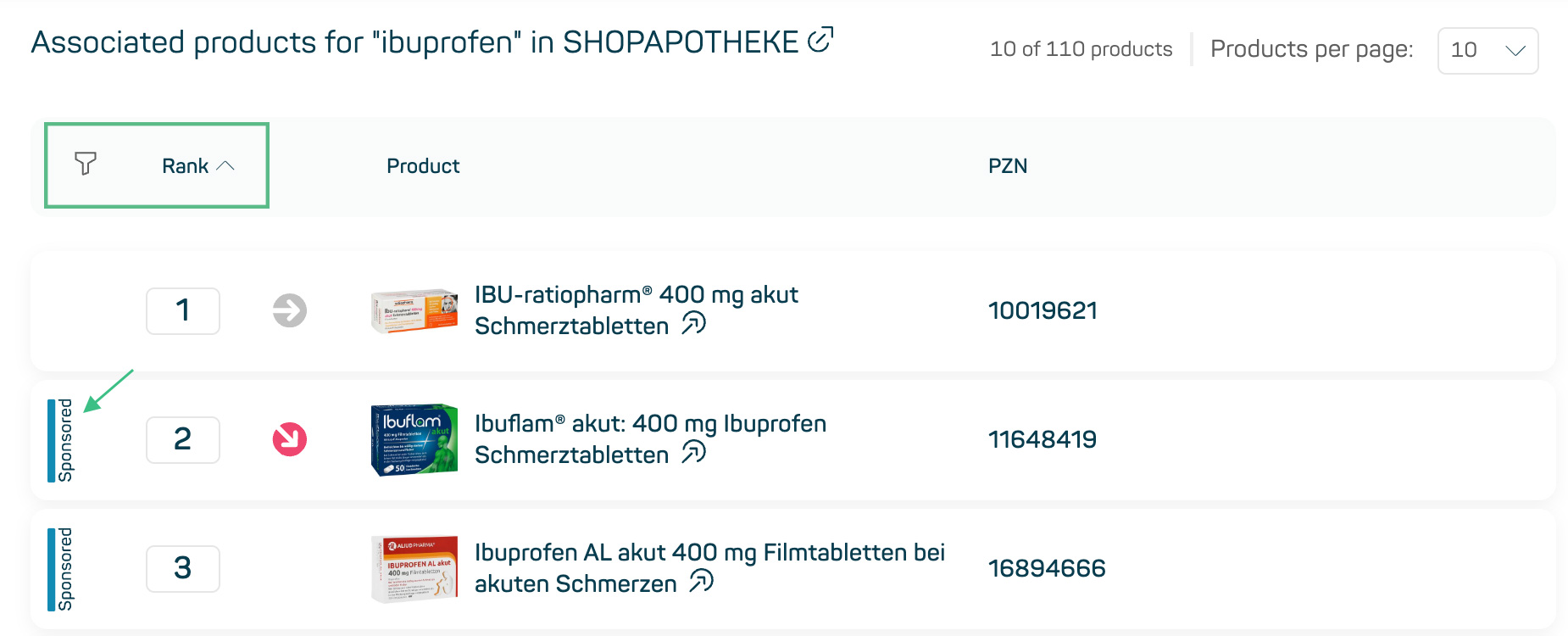
Image 3
You can use the filter symbol to filter the list by product or PZN. You can also sort the order of the products for a selected search term in ascending or descending order as required (see image 4). The Product column shows the name of the product as it is listed in the store. The column also contains a link to the Product Detail Page in the Insights Hub (see image 5). Above the list, you can see the number of products displayed in relation to all listed products. The number of products per page can be set to 10, 25 and 50 as required (see image 6). Below the list, you can navigate forwards and backwards through the list using pagination.
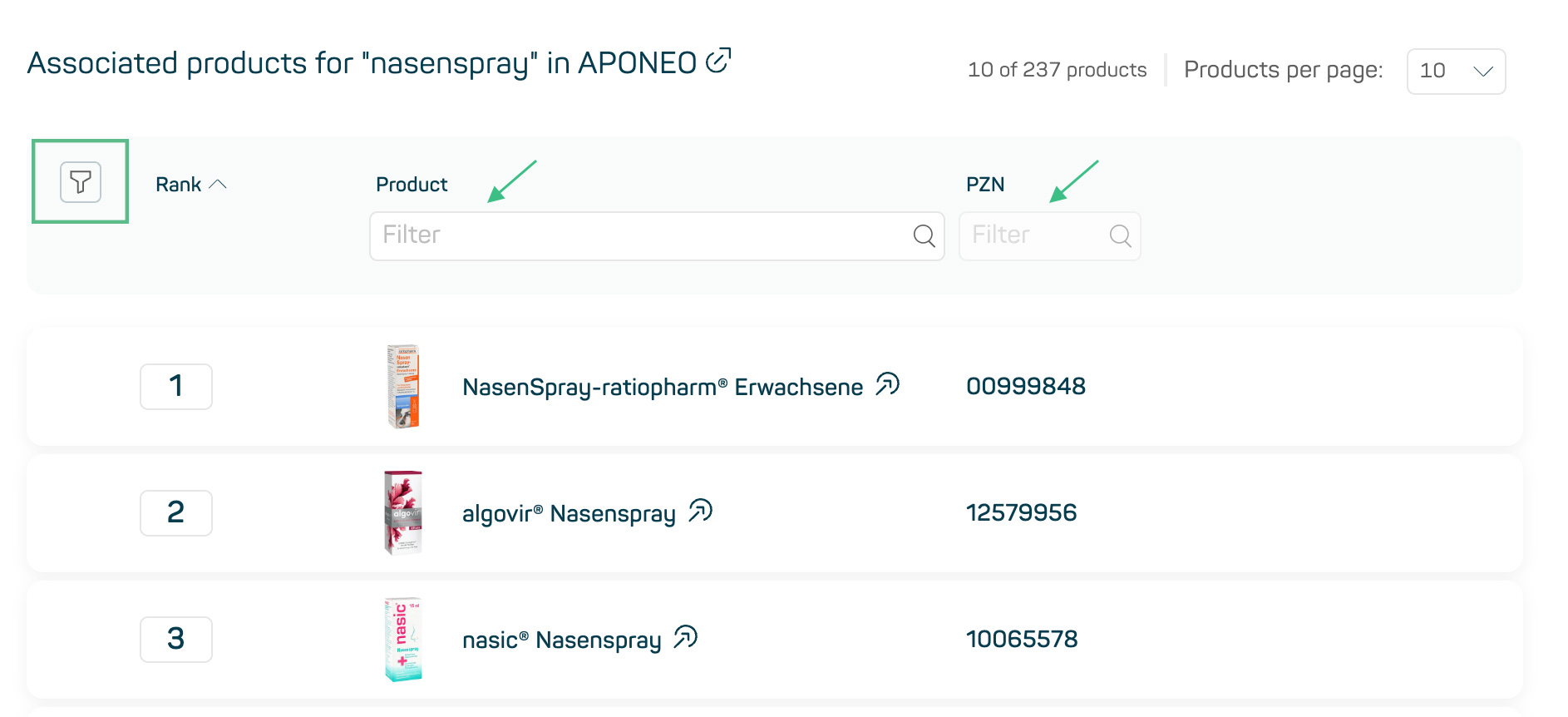
Image 4
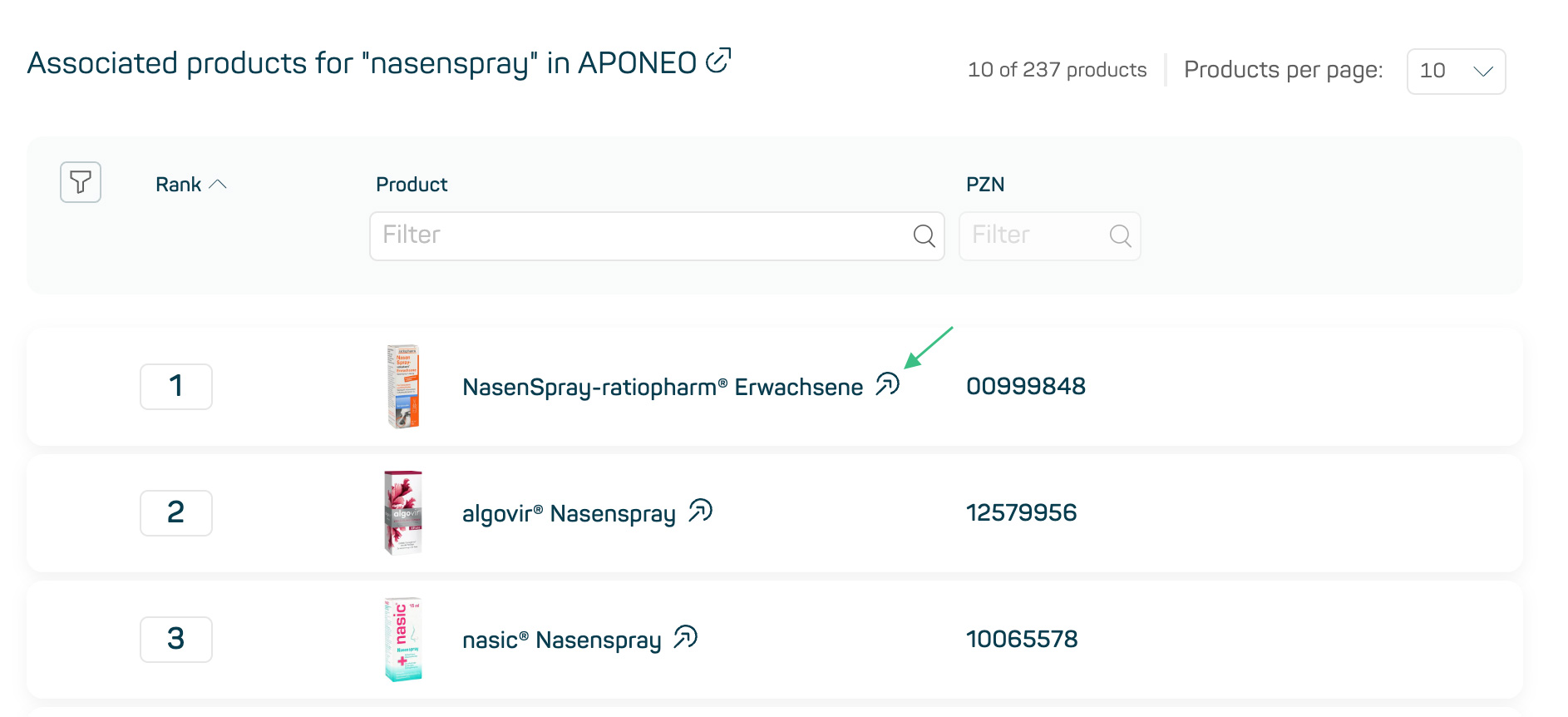
Image 5
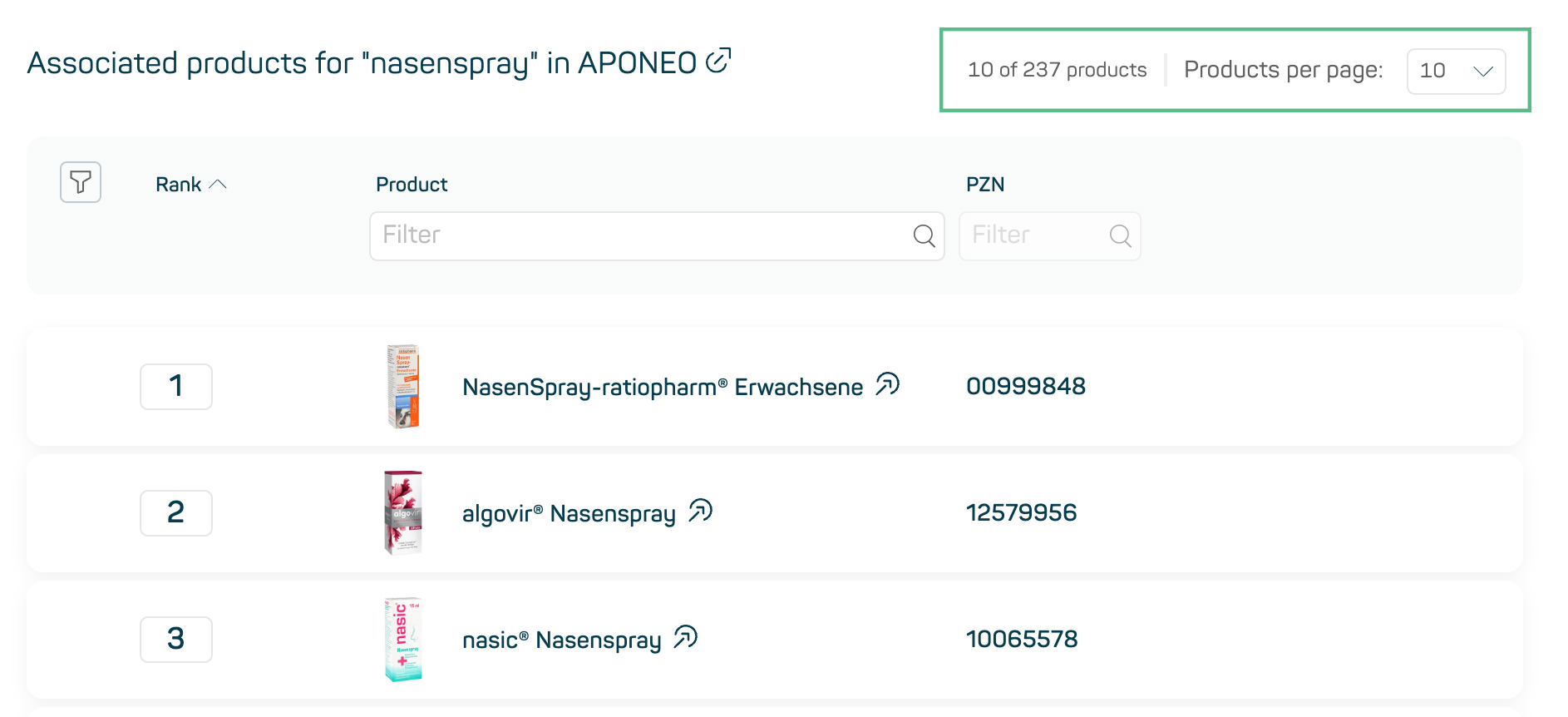
Image 6
Next iteration of Search Visibility
In the next product iteration, you will be able to search for products with the objective of listing all search terms in which a product occurs in the search result. This allows you to quickly group and clearly display all search terms in which, for example, your products or those of your competitors were found.
Understanding Onsite Search can also be helpful when optimizing Offsite Search. Offsite search refers to search queries that are carried out outside of a website, e.g. via search engines such as Google. By integrating Onsite and Offsite strategies, companies can develop a more comprehensive and effective search optimization strategy. POS Search Visibility can provide you with optimal support in the creation of those search strategies.