Optimized Navigation, New KPI in Performance Tracker and Annual Panel Review
13.02.2025
With the latest product iteration, we have refined the navigation structure in the Insights Hub, improved navigation within POS Search Visibility (Search Terms tab) and introduced a new KPI: “No of ratings” in the Performance Tracker (POS tab). Additionally, as part of our annual panel review, we have made adjustments to further enhance data quality and market representation.
Enhanced navigation structure and Module renaming in the Insights Hub
The main navigation bar and the quick navigation on the left-hand side have been redesigned to improve user experience and provide greater clarity. As part of these changes, new pages and sections have been introduced and several modules have been renamed. You can now directly access POS Insights submodules via quick navigation and clearly distinguish OTC Insights into Market Overview and Company Overview. Additionally, the modules “AI Analytics” and “Key Account Data” have been renamed to “AI Insights” and “Key Account Insights” for better clarity.
New KPI: “No of ratings” implemented in Performance Tracker (tab POS)
The Performance Tracker (tab POS) now includes a new KPI: “No of ratings” (see image 1). This feature allows you to track the number of ratings over time, providing better trend analysis. The time-based analysis can be flexibly set to one month (Last month), three months (L3M), six months (L6M), or twelve months (L12M), allowing you to compare different time periods and observe fluctuations in rating frequency.
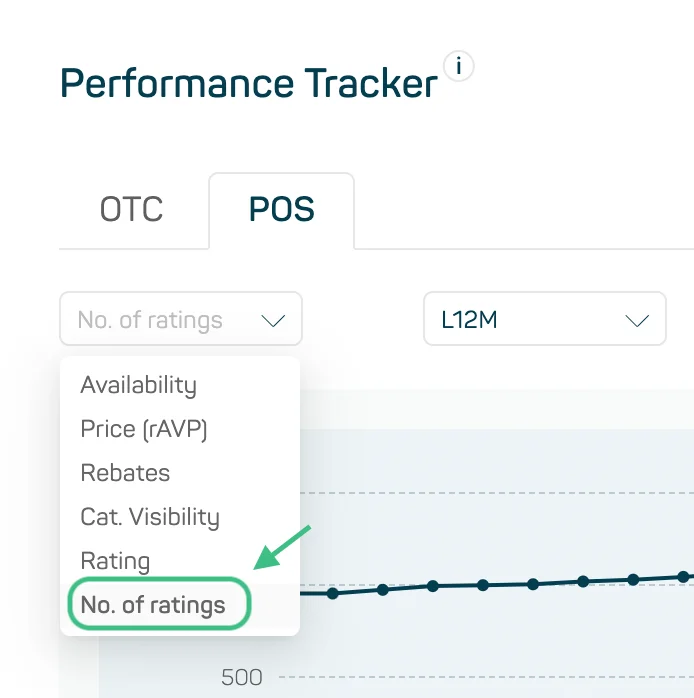
Image 1
Data Quality and Market Representation Optimization in the Annual Panel Review
As part of our annual panel review, we have made refinements to improve data quality and market representation. These updates include a reassessment of the PKV share, which was adjusted based on historical data following a significant decline since the beginning of the year. Additionally, projection factors for private label brands, particularly in the NEM and beauty sectors, have been reviewed and updated to ensure a more accurate market representation. Furthermore, we have adjusted the market level for “Minoxicutan” in segment D11A1 (hair loss treatments) to better reflect the market landscape.
Improved Filtering in POS Search Visibility (tab Search Terms)
We have introduced a new filtering option in the POS Search Visibility (tab Search Terms) that allows you to show only products relevant to your selected market or company after choosing an online pharmacy.
To use this feature, first select a search term in the Search Term ranking and then activate the “Show my products” toggle button (see image 2). This will filter the results to display only the products associated with your selection (e.g., custom market or company), improving clarity and streamlining navigation within the product list.
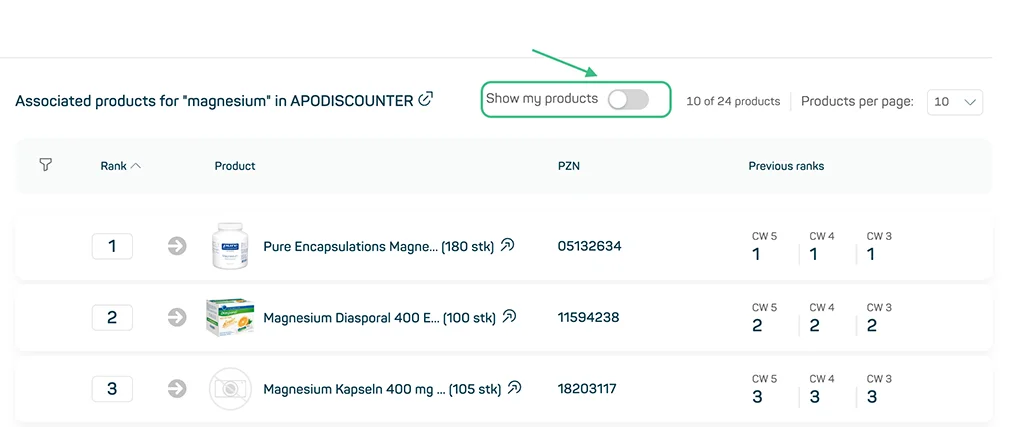
Image 2